
Demonstrates the following Features
DEM Earth 6.202
Smart OSM
Smart Extruder
Poly Object
Outliner Object
BiPlanar Modifier
Bevel 2.0 Modifier
PinPoint 2.0 Object
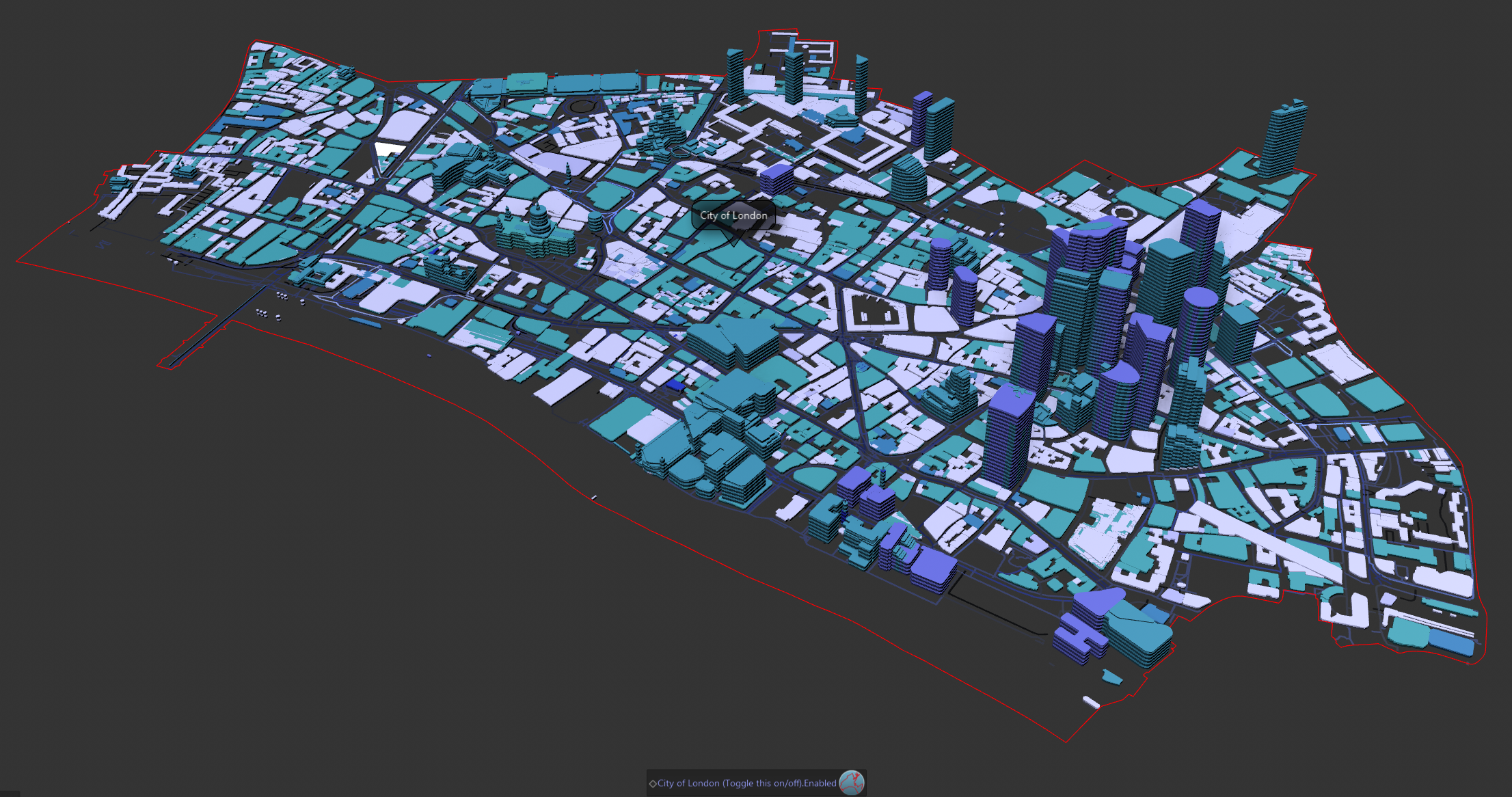
Instructions.
Download and unpack the scene (at the bottom of this page)
Open the file in Cinema 4D 2024,2025 or 2026 (or later)
Requires DEM Earth 6.202 (or greater) but will probably load and work in some capacity with earlier 6+ builds.
Most Objects are hidden when you open the scene, so that you can easily see and toggle what is intended to be shown.
Simply turn on/off either of those objects.

To reveal the Full hierarchy, the Layers Manager and turn of the "Show in Manager switch"
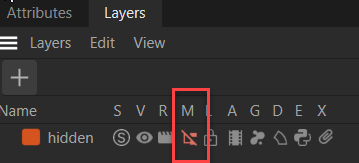
Revealing the following.
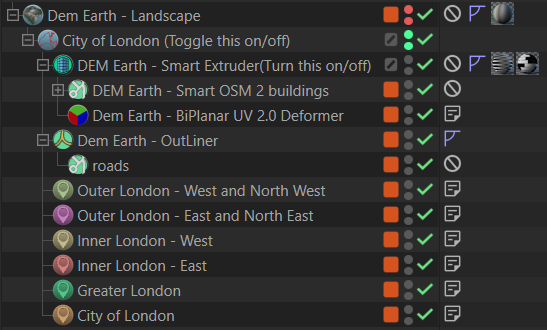
Hopefully this provides some insight into the purpose of some of these tools :)
Things worth mentioning
Note : In this example, I turn off height calculation for both smart OSM objects and the Poly Object, and then hide the DE landscape for clarity. I also disable downloads and turn off the height data set, from the Data Manager.
This has several advantages.

1.Slightly faster.
2.Uses Less memory.
3.The scene saves smaller.
4.Keeps everything flat.

Turning that height data stuff off, lets me provide an this example without having to provide any height data, which would otherwise be embedded in the c4d.file, making it larger.
Note: you need an active license of DEM Earth 6 (or greater) installed and running, to view this scene file.
This is not a plugin demo. This scene file serves to show users of the plugin how the tools included with the plugin package, can be used, by example.
Let me know how you get on with this example and if you want to see more examples.
best
Paul