
 Available in Version 6.249 or greater.
- Requires a DEM Earth parent and active support, and a license to generate canopy data.
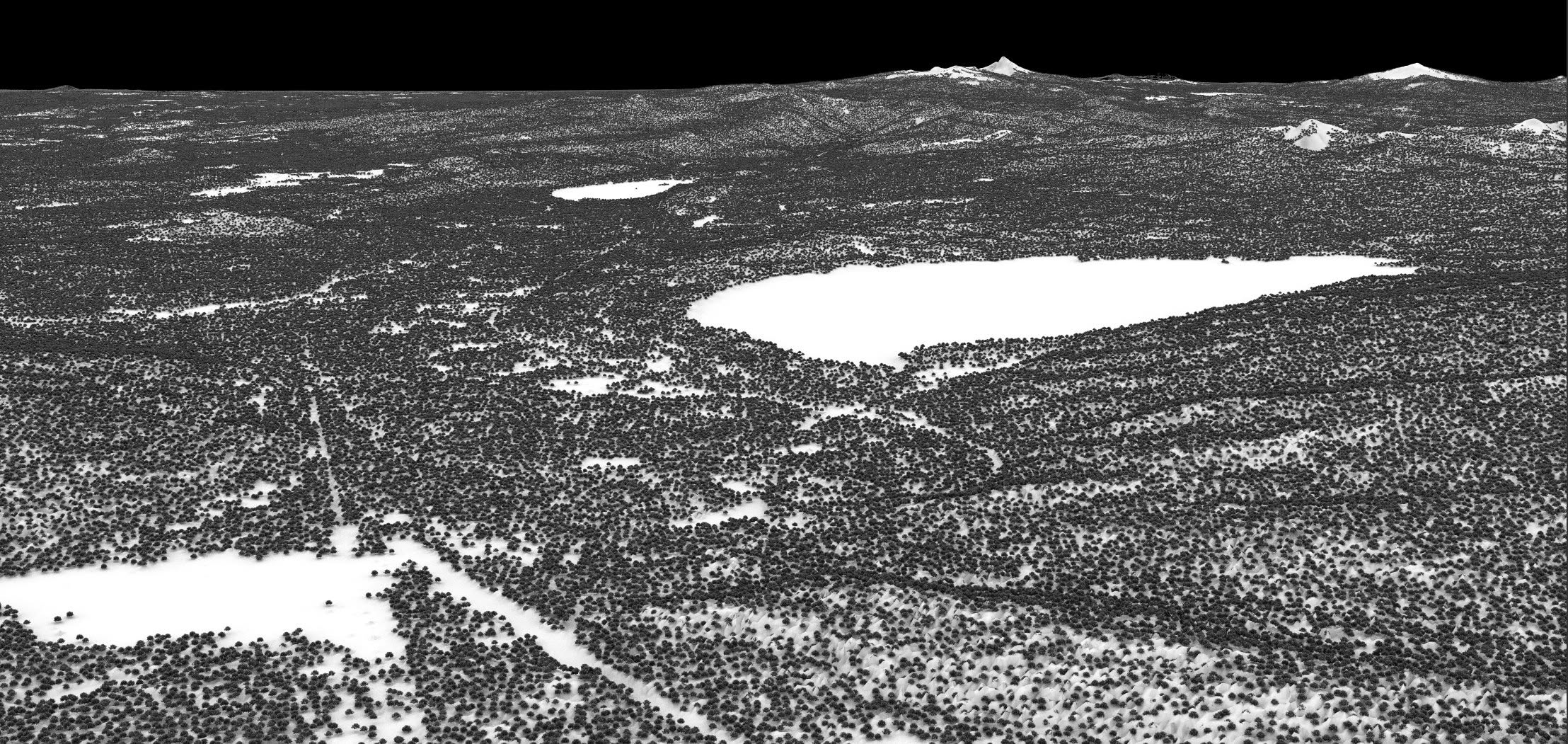
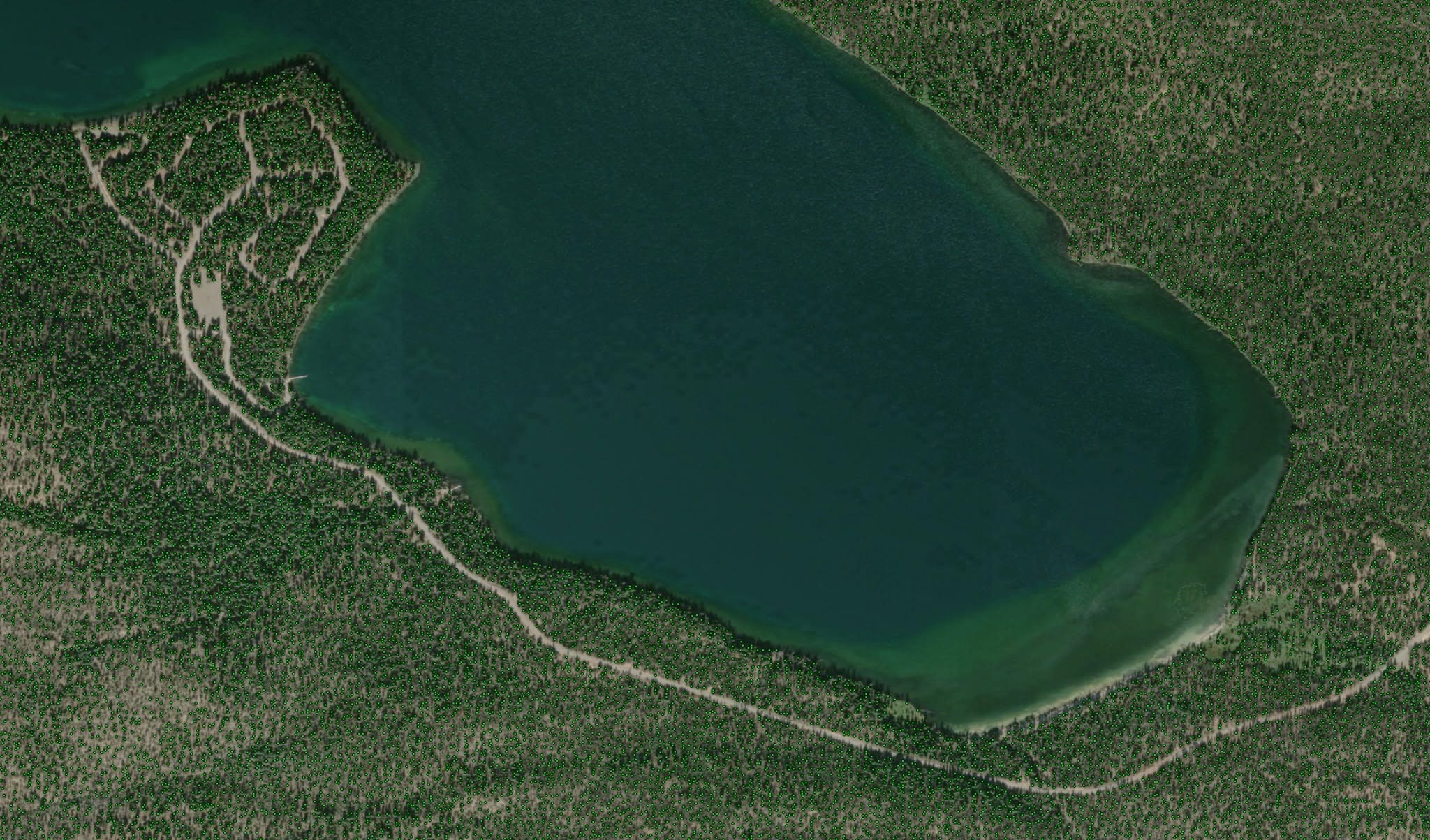
Generate Accurate tree locations derived from very high resolution canopy height maps.
No Guessing.
No manual painting or masks.
Trees, where they should be.
Insanely fast and very accurate.
Not built from geometry, but from open source, public geographic data.
The process.
Figure out what to download and download it.
Load the data (massive amounts of it)
From that data, process and detect tree locations, their approximate height and radius.
Export detected trees in a custom compact format. *.trees
Load those the resulting *.trees files into a Canopy container Object.
Requirements
Tree Extraction requires at least 24GB of available RAM for local processing(see the process).
Once the tree locations have been built the memory requirement for the resulting tree package files is trivial.

*.trees format uses approximately 1.5 bytes per tree. That includes location, size, and area.

To load just 1 block, requires ~17GB of system RAM, just to hold the RAW data in memory.
Then, depending on the processing level, you need several additional GB to work on that data block.

OPENCL is not used to process these tree packages, simply because most users do not have that much VRAM on their GPU. The processes is heavily multithreaded. The more CPU cores you have, sooner it will finish.

As a rule of thumb, to process a single block at normal level, you would need 24GB of system RAM available to work with, on top of what c4d needs and everything else in your system. Generally, the bare minimum to generate a single tree file, is probably ~32GB of system RAM.
Usage
Import Canopy..
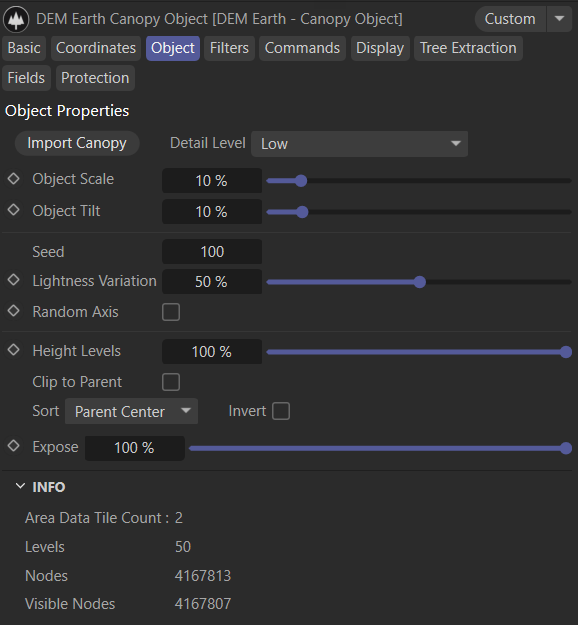
Importing trees requires that all the necessary Tree Files for the area (at the requested Detail level) have already been generated and are in the right place. If there are missing tree files for the import area, the Import Canopy button is not available. It is best to activate Clip to parent, to reduce the tree count. it takes just seconds to import millions of trees. if the Import button is not available, you go to the Extraction tab, download the data for the area, and generate the missing tree files.1.Download any missing Data. 2.Once the data is downloaded "Generate Missing Tree files". 3.You need a tree set for each detail level. 4.Once built, you never have to do this again, and you only need to download RAW data once.
Detail Level
if you have a floating license, you can get *higher density extractions (more trees).

1. Low       (use this for bigger areas)
2. Normal
3. High      (*requires a floating license)

4. Ultra     (*requires an Ultra license)
5. Mental    (*requires an Ultra license)

typically "Mental" will extract 4 to 5 times as many trees as low. That is a lot of trees.
Object Scale
Sets the global relative size of all trees.
Object Tilt
Tilt is the amount that the tree will point in the normal direction. Smaller trees tilt more than larger trees.
if you set tilt to 100%, all trees regardless of size, will point in the normal direction at the terrain point.
Random Axis
Flips the x,z axis of any generated tree randomly.
Height Levels
The number of levels depends on the data at the area you have loaded. This slider allows you to reduce the number of levels. This generates less nodes and speeds things up.
Clip to Parent
This currently clips to the bounding box of the DEM Earth parent. Best is to leave this on to reduce the number of tree instances generated. It is a good idea to hit "Cull by parent" to remove trees that are never going to be used and keep things snappy, and do some magic.
Expose
Reduce the number of tree nodes generated.
Sort
Sort all loaded nodes either randomly, by distance to Data center, or by distance to DEM Earth parent center.
Info
Some useful info about how much you have loaded and what is visible.
Filters
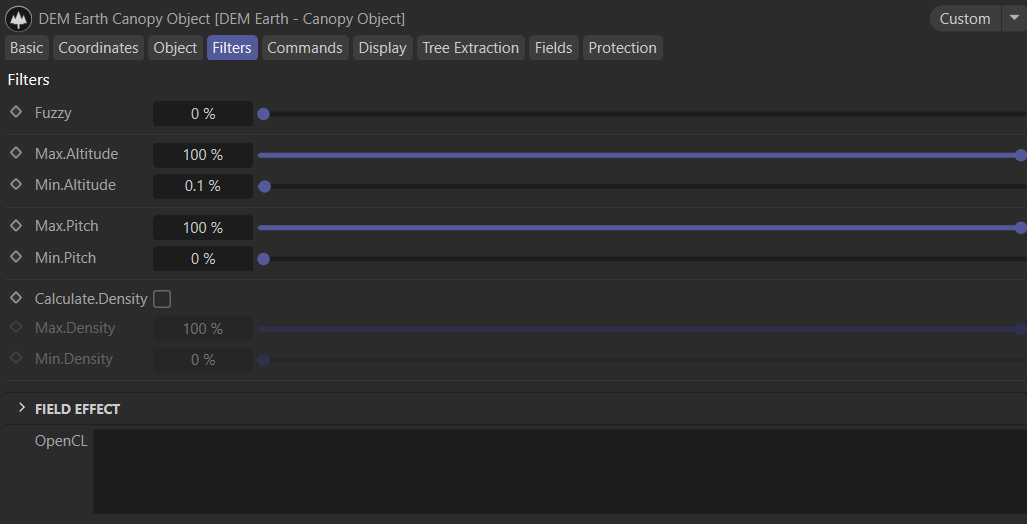
Fuzzy
The filter parameters are fuzzy. i.e. if you don't want values applied exactly, MAKE THEM FUZZY !
- Min/Max Altitude.
- Min Max Pitch.
Calculate Geographic tree Density.
Turn this on if you need this filter, its hard to compute so the default is off.
Best is to figure out your area, and then activate density if you need it. it is awesome :)
This will use OPENCL to compute if you have a device and drivers that use opencl. C4d itself uses opencl, so the drivers will usually already be in place for this to work.
OpenCL
Display info about which compute device is available. if a function that requires this is enabled.
Currently only used for Density. You have to enable a function that requires a compute device first. Then it will display what is being used to compute that function. If there is no compute device, it will always fallback to CPU.
Field Effect
Currently only scale. This scales trees in the falloff range of any field. (position and UV, so you can use textures)
Fields
Use any field to modify a node. Any value of zero will remove a tree. Field effect can be use to scale trees, until they are removed. this is super fast and you can do crazy stuff, just with fields.
Commands
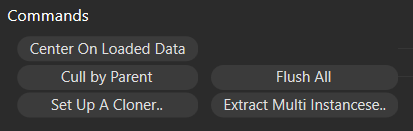
Center on
Centers the parent DEM Earth object on the current tree data bounds center.
Flush All
Clears all data from the Canopy object.
Cull By Parent
The parent area is either DEM earth itself, or a poly object parent.
- if the parent is DEM Earth, anything outside of the DEM Earth bounding box,is deleted.
- if the parent area is a poly object, and that poly object has a shape, then anything not inside of that shape, will be deleted.
Culling keyboard Qualifiers are shift or ctrl.
- +SHIFT: removes nodes inside the parent area. (rather than outside). Shift is the spacial invert key.
- +CTRL: removes nodes inside the parent area, and puts them in a new Canopy Object. (basically a Cut/Paste)
SetUp A cloner
Sets up a standard cloner with simple objects, so you can see what you need to do, quickly.
Extract Multi-instances
Extracts multi Instances (with objects), from the parent cloner. Useful for i.e. a render farm.
Display
Display
The display mode for trees.
Display Color
The general color for displaying tree nodes in the viewport. The color is multiplied by inverse node level.
Tree Extraction
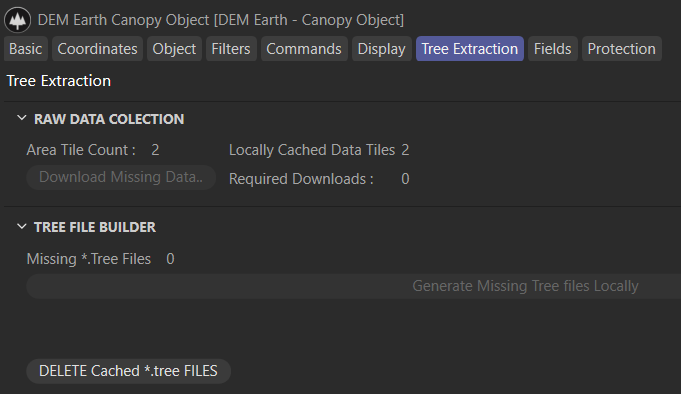
- Download the Raw data you need for your area.
- Generate Missing Tree Files locally. Per Detail level.
This Looks complicated, but it guides you through. First you need the raw data to be available locally. that has to be download. Once that data is in place, you can generate tree files. Once tree files are built for the detail level you need, you can then import them.
Basic Cloner Setup
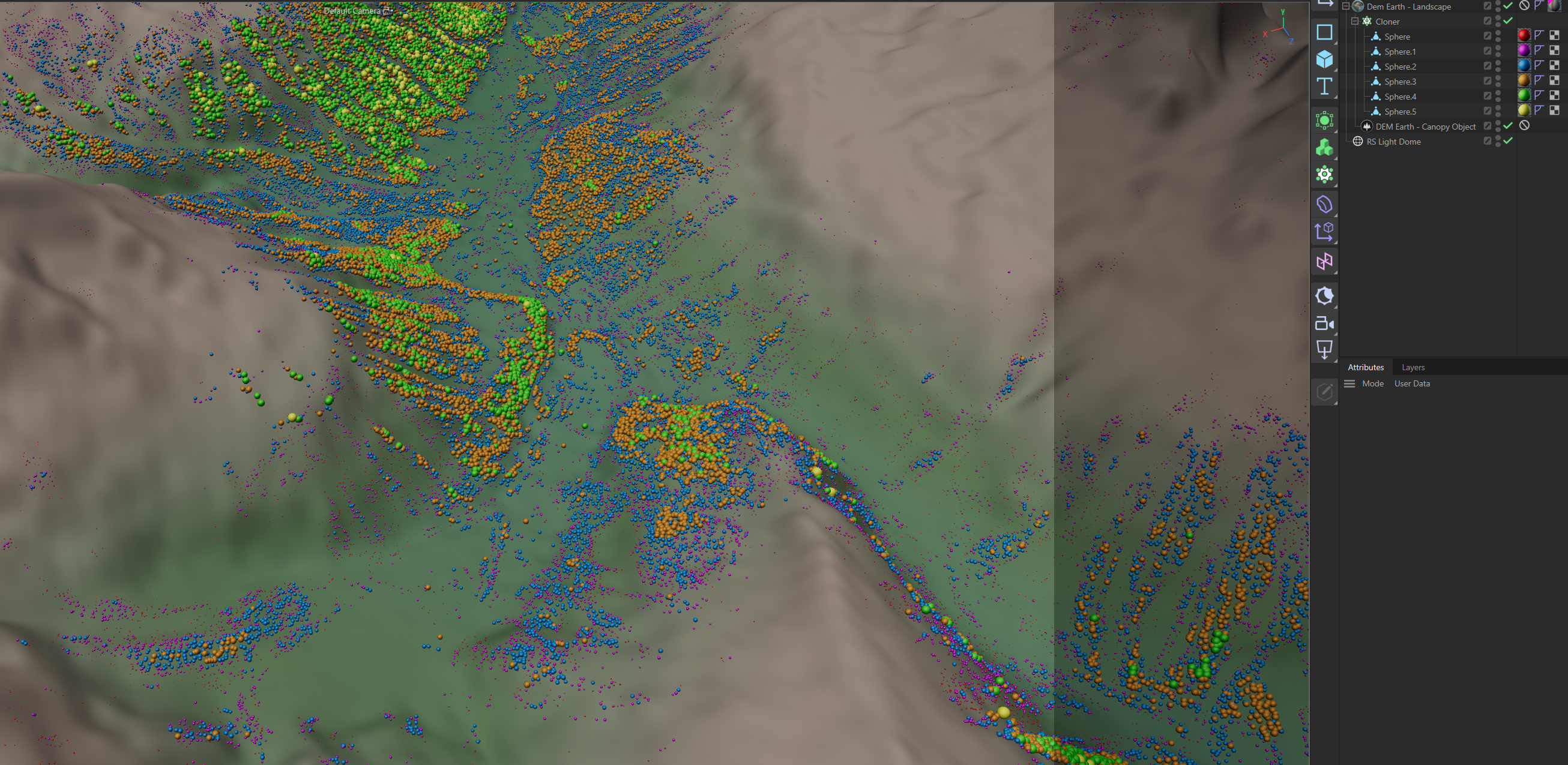
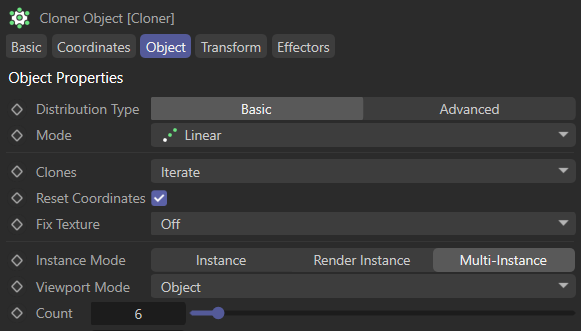
DEM Earth provides a tree loader (just drag/drop any "*.trees" file into c4d. if you have dem earth installed, it will create a canopy object containing the tree package.
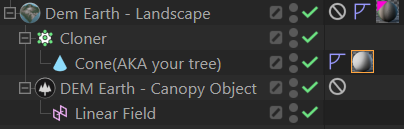
1.You then insert that Canopy Object under a DEM Earth object.
2. Hit "Center on" so that DEM Earth is centered on the same location as your tree data.
3. Hit "Create a Cloner" to set things up for basic rendering.
4. You then provide some objects for instancing.
Objects are distributed by height.
- Be sure your object are not all the same height. They are distributed by height.
- Ideally if there are 40 height layers, you would have 40 objects to distribute. from 1m to 40 m. in height.Small objects would then be placed where they should be.
- TODO: I will add a tag to declare an objects distribution height.This would allow you to distribute multiple object types on on a specific height layer,
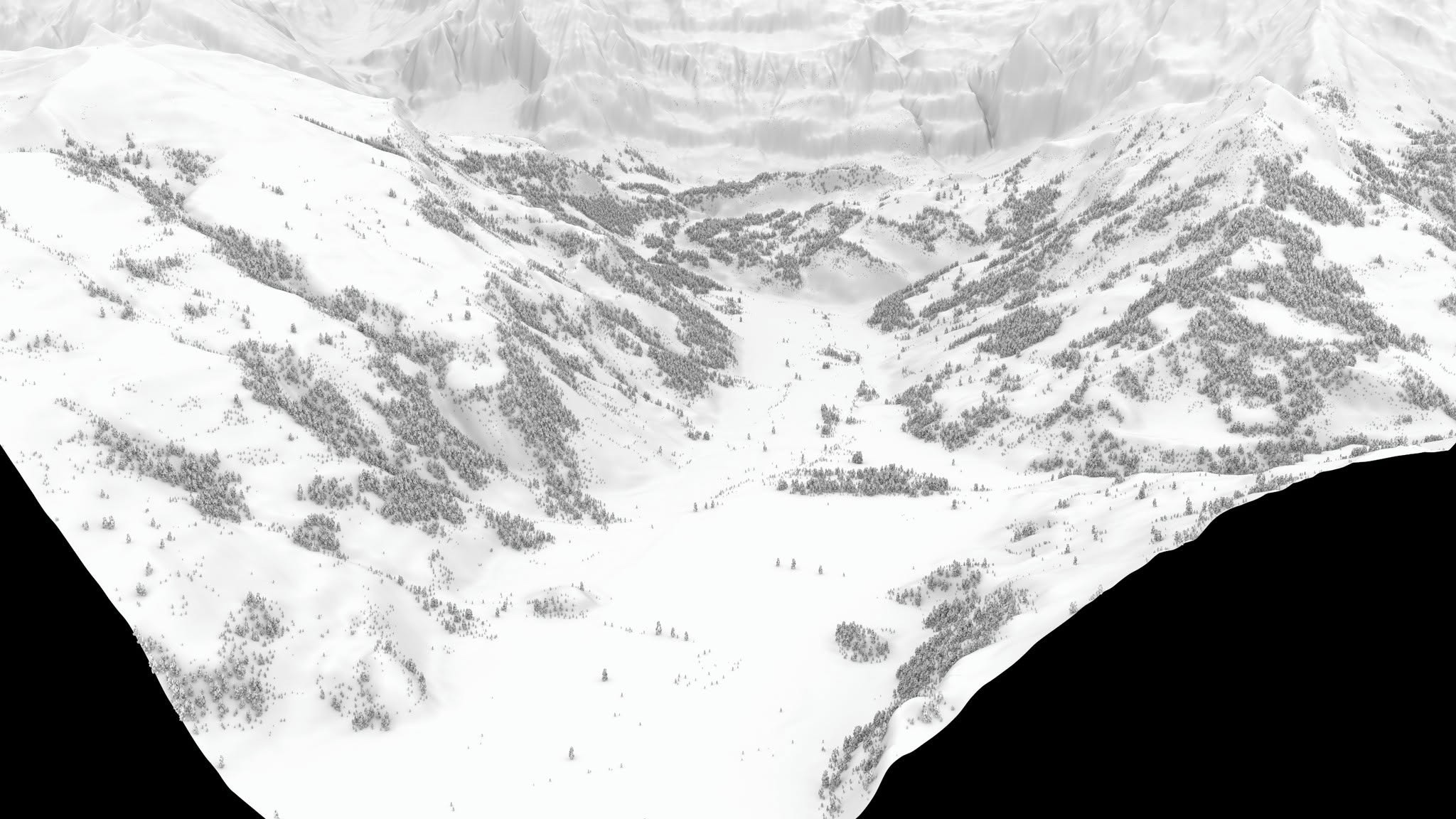
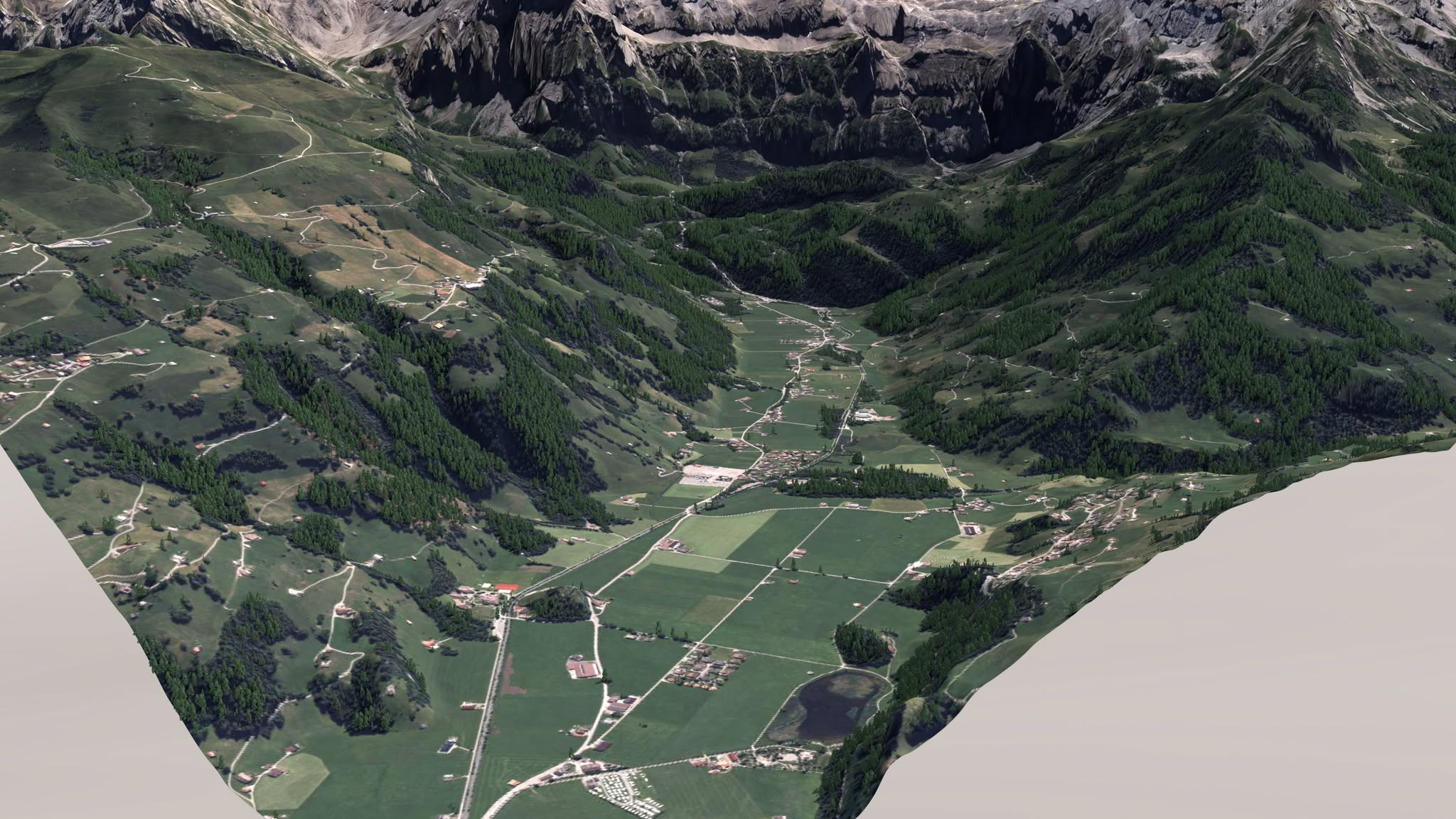
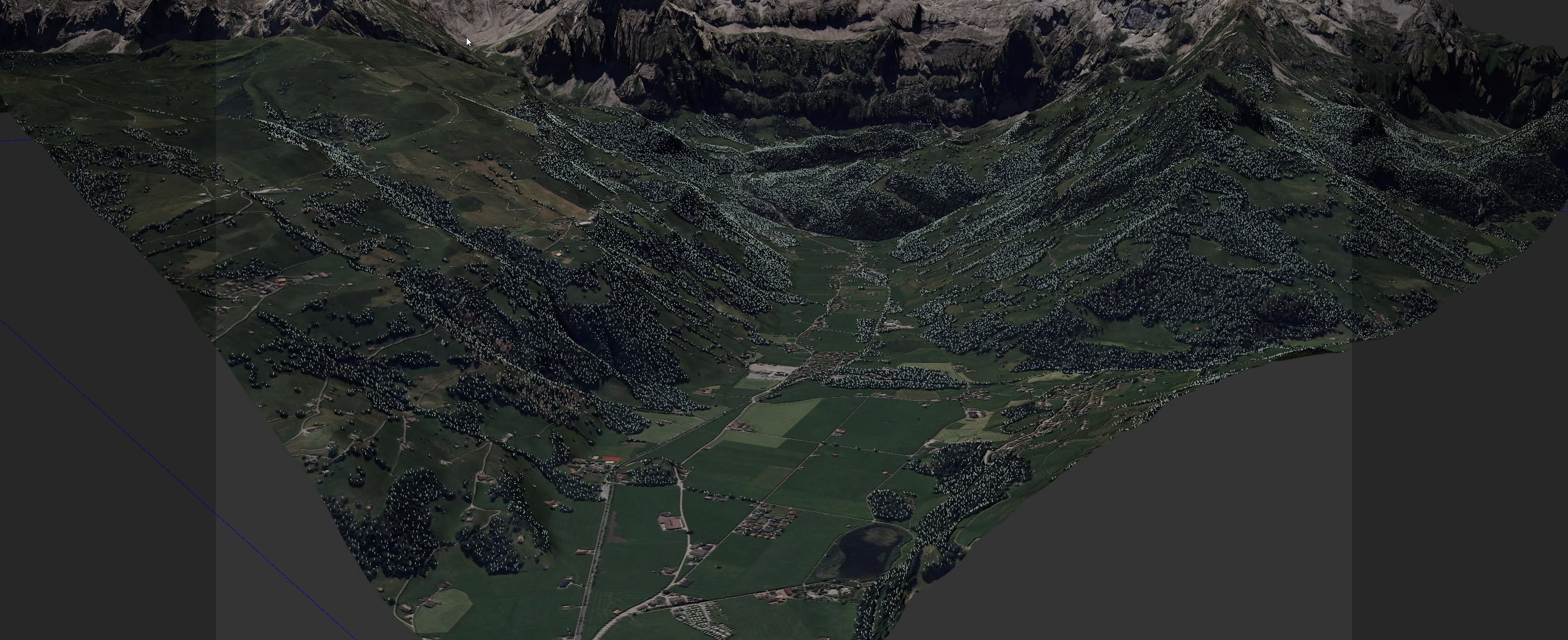
You currently need to supply your own tree objects.
 just insert them under The canopy object. Best is to drop as many trees under the canopy as you can. They should have different sizes. Smaller trees are placed at smaller levels. if you have 50 items under the canopy, and you have 50 levels, each level would get a different tree link.
It does not have to be trees, it can be whatever you put under the canopy.
Best is to put a variation of objects under the canopy object.
i.e.
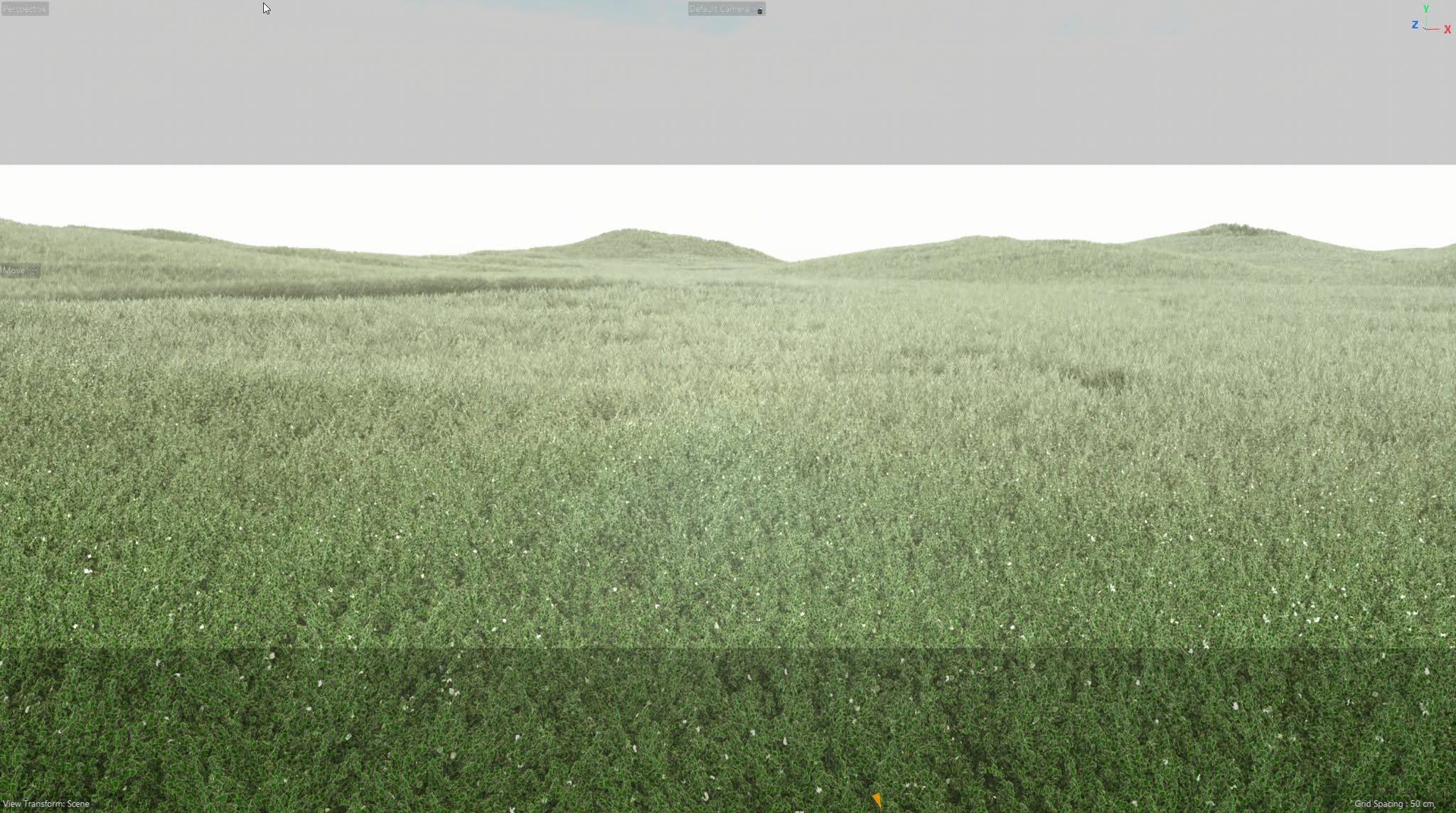
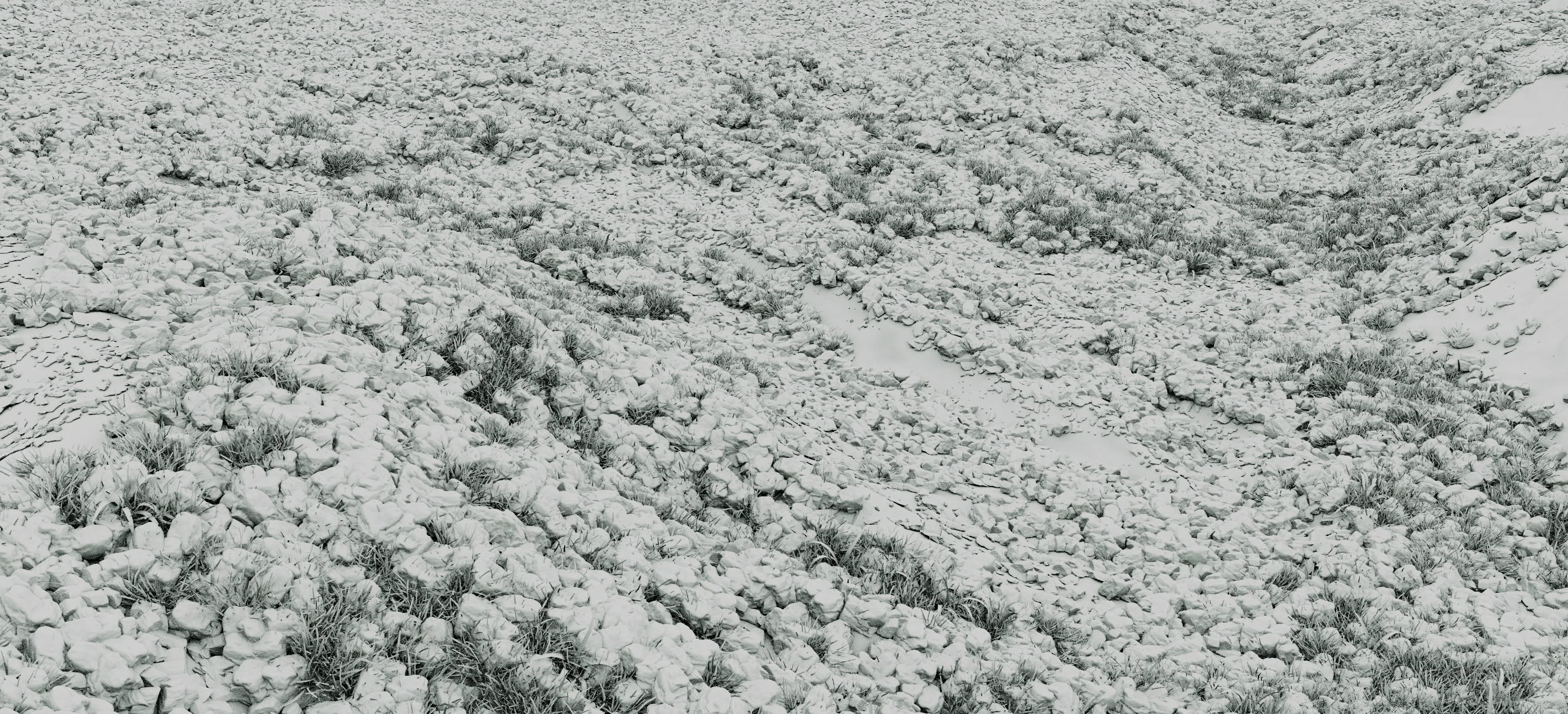
TIP: you might want to occasionally remove the tiff data from your canopy folder, as the tiff files are pretty big.
Limitations:
Generating requires that you download a lot of data and have a lot of RAM. A single tile is 65kx65k pixels. the files are sometimes over a 1GB.
For any given area, you might require 1,2,4 8 or any number of tiles to be able to cover an area. This can result in hundreds of millions of tree nodes, for what might seem to be a small area.
There are in total almost 60k data tiles available. I can not generate or host all of that data, and I certainly can't download them all, check them and generate the much smaller tree files for them. Just being able to do this at all, is a bit crazy.
i.e. if on average there are 7 million tree locations per tile, that is 60k x 7million.
- 60,000 times 7 million is equal to 420 billion to cover the planet.
- if I set the detection to level 15 it would result in some 420 million tree locations for the planet earth.
- if I set it to level 10, its more like a trillion trees.
- if I set detection to 5, it would extract around about 4 trillion trees.
Never enough.
- The public build, is clipped at level 15. If you need more dense extractions, I charge for that as a service.
- i.e. if you need level 5 for a specific location, ask for a quote. I can deliver *.trees at insane density.
- if you need tree locations in different formats, such as csv or json, I can do that too.
Important Note
- Canopy does NOT replace Forest Gen !
- Data from Forest Gen can not be used with canopy.
- Canopy can be rendered with standard, Redshift and octane. Any renderer which supports mograph cloner and multi instances, should work.
- Canopy data is an order of magnitude better than what Forest Gen has access to. Canopy produces far better distribution and is much faster than Forest Gen.
- To able to render Canopy, it uses Mograph cloner as the container.. To do this, you simply place a Cloner before the Canopy object, under DEM Earth, but directly before your Canopy Object. There is a command to do this.
- To generate Canopy trees locally, a powerful CPU, with lots of cores, loads of memory and plenty of HD space is needed.
- If you can't do it yourself. Just reach out for specific extracts .
- *.tree files can be drag dropped into c4d. This produces a Canopy object. You then drop that object under a dem earth object.
- Once A canopy object is populated the memory requirement is trivial. Data is is saved with the object, in the scene (i.e. no file dependence)
- A tree node is ~1.5 bytes. That's how we can fit millions of them in a very small file.
Finally
- This is a big project. It is a WIP. At this stage, anything can change, at any time, as it evolves.
- I welcome any feedback on this project.
RE: Extraction Levels : Mental extracts ~4 to ~5 x the tree count of low.
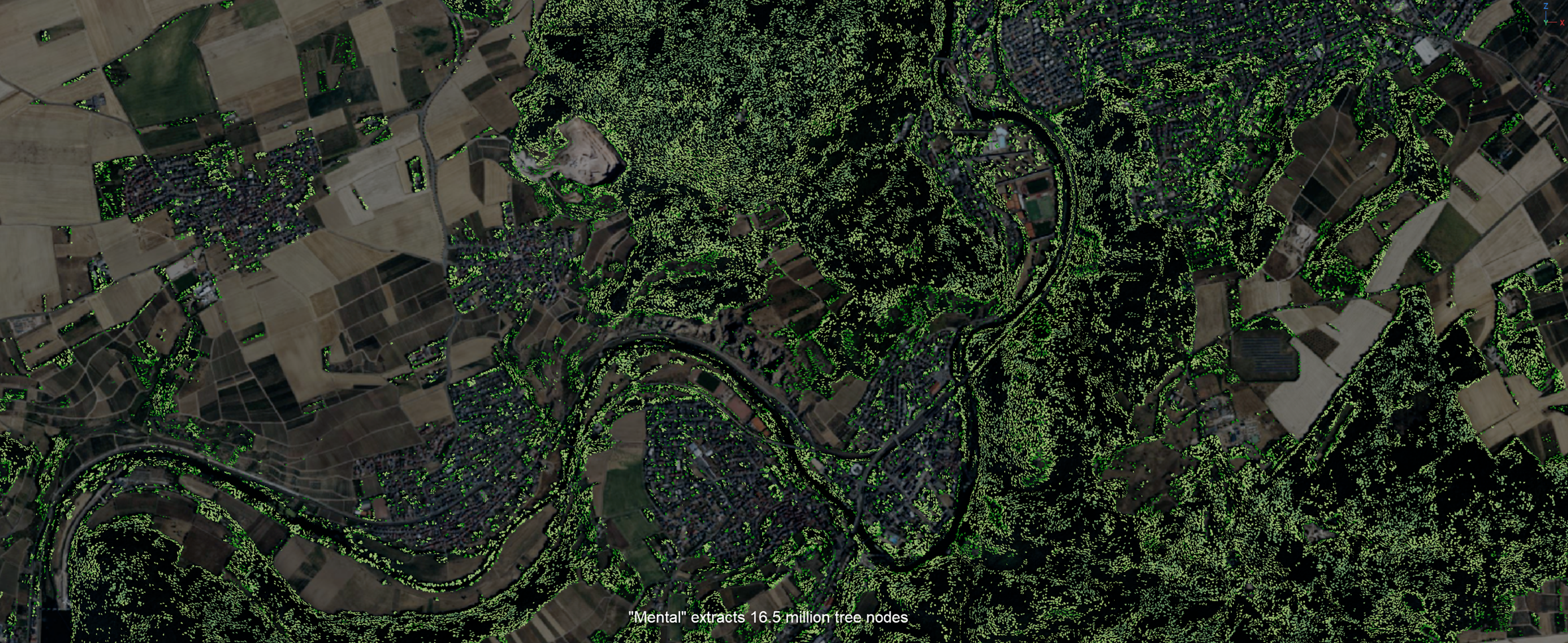
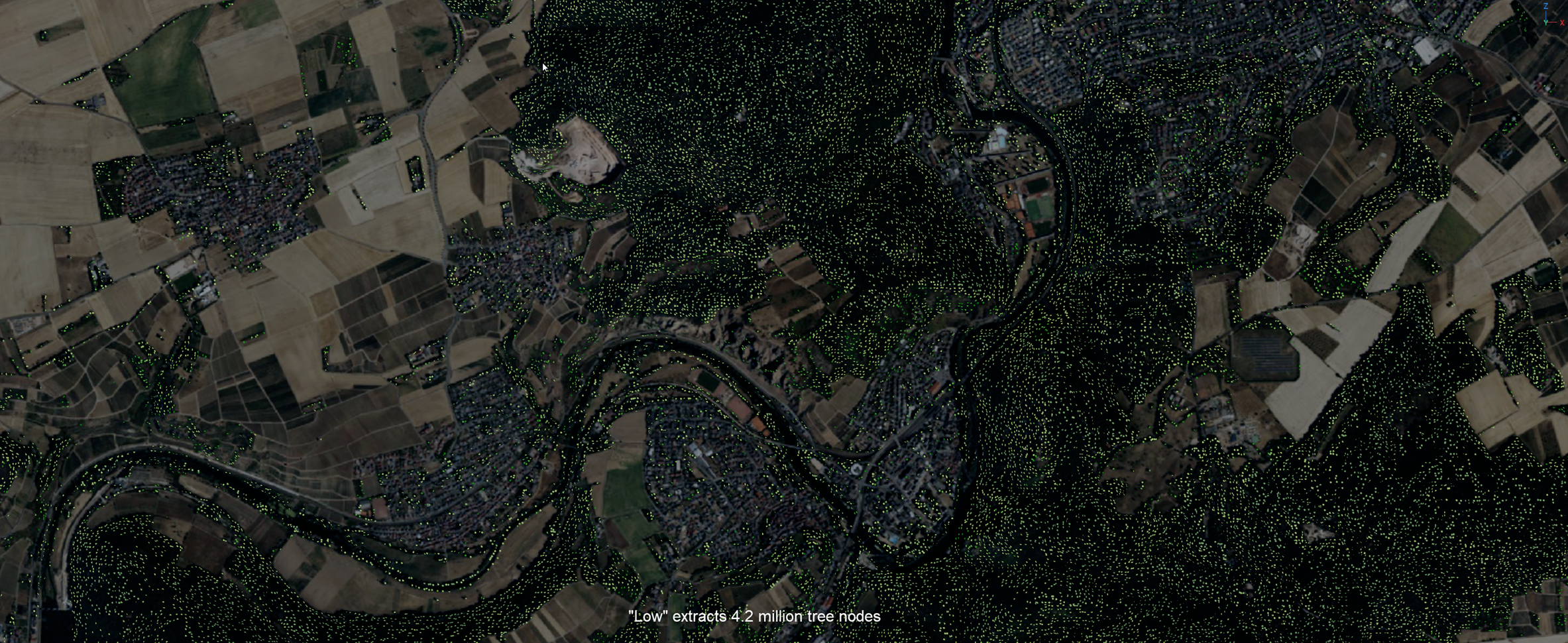
So generally , low, normal and high, are pretty good. But ultra and mental give you way more trees, extracting ever finer detail. Higher detail comes at the expense of longer compute times, and higher memory demands when generating the tree files, and of course you have to then able able to work with that many tree instances. You can easily post filter and clip by area. You can even clip by poly parent area (geographic border outlines). so you can i.e. get just the trees in an an exact area. You can get the density you need, without having to show millions of trees. all at once.